Project Status: 🟢
Getting started with Oracle cloud.
I have been curious about Oracle cloud for a while and I got to try their free tier last weekend and here are my thoughts.
Initial thoughts
Frustration:
I want to note that with Oracle cloud free tier launching the Ampere arm type/class of instance is almost impossible as it currently falls under capacity limits.
You need to upgrade to pay as you go plan. I reached out to oracle chat support and am able to confirm this. For paid account you will be charged refundable deposit of $100.
I have requested them that this needs to be highlighted at the time of sign-up and as well as the official documentation as it is currently a waste of time to create a free tier account without signing up for paid tiers. Seems almost like ^a^ ^scam^ ^to^ ^me^ IMO.
I would personally prefer if they restricted new signups for free tier.
I would also like to note that Oracle is heavily debt ridden right now with its AI bet. I wouldnt use the free tier for anything serious. They have already reduced the limits from 4xOCPU_24.GB to 2xOCPU_12.GB RAM.
Overview:
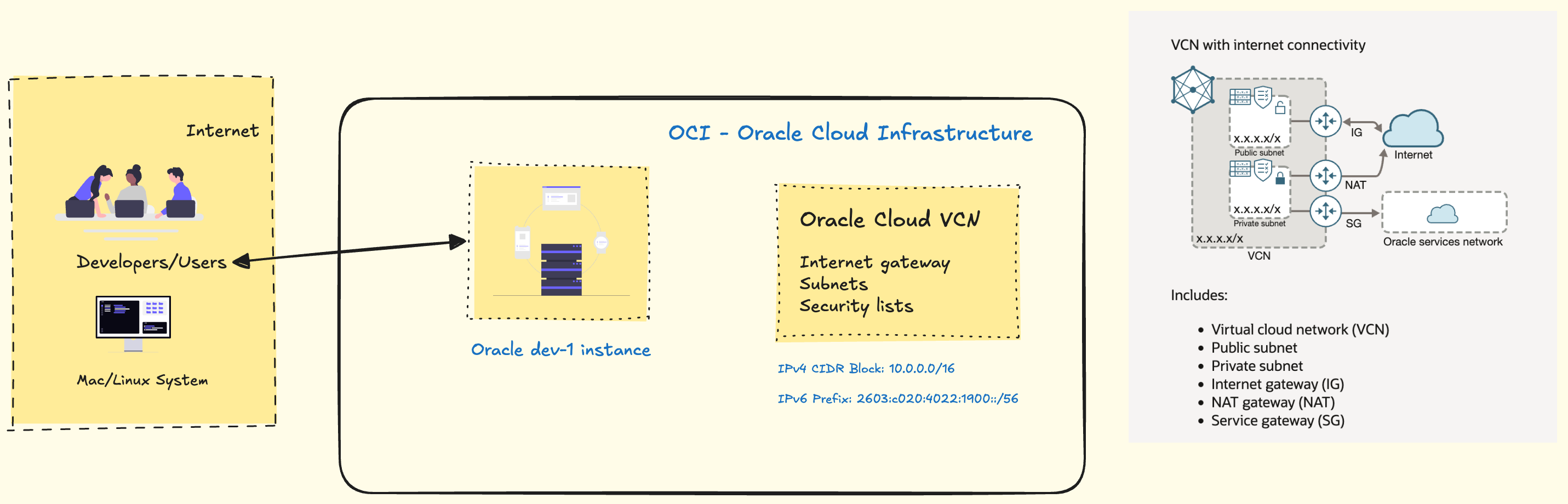
This is a high level diagram depicting a typical dev env on OC.
Note: If you want IPv6 address for your instances, you need to create a custom VCN and enable IPv6 support, create subnets, routes with IPv6 addresses.
The Basics
Due to availability constraints I went with the VM.Standard.E2.1.Micro Shape and Ubuntu Minimal OS Image.
We need to configure the network. Create a VCN i.e. virtual cloud network & modify the subnet security lists, create/update a network security group and attach that to the instance.
If you have used AWS Management console or Azure Dashboard the fundamentals stay the same.
In AWS terms the terminologies would be as follows:
- EC2 vs Compute Instances (VM/BM)
- EBS vs Block Volumes
- VPC vs VCN (Virtual Cloud Network)
- EIP vs Reserved IP
- Security Groups vs Network Security Groups (NSGs)
- Network ACLs (NACLs) vs Security Lists
I preconfigured the VCN, Security groups and Securilty lists as per my requirement before launching the instance. You can create a new SSH keypair or add your public key to enable logins. I went with default 50GB Volume size and added my NSG to the instance.
As for the system configuration, I removed UFW as its not officially supported instead I setup firewalld and configured the ports I wanted to allow.
I am using docker + docker-compose for managing my stacks.
I have tailscale tunnel for connectivity between my nodes, nginx-proxy-manager as my reverse proxy server which also handles SSL/TLS termination.
The current service deployed on the instance is WikiJS using the LinuxServer.io image. I am currently testing it out.
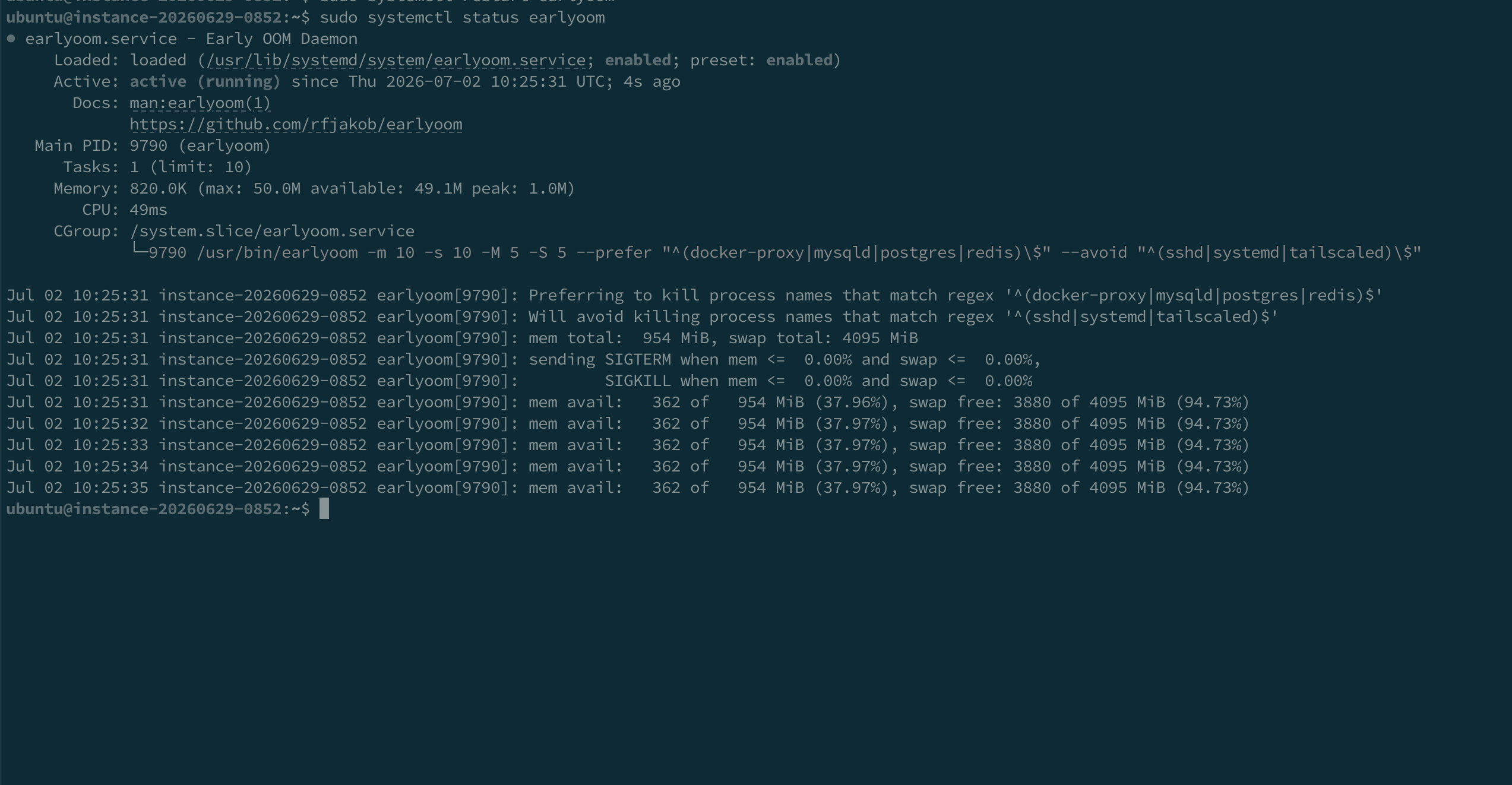
As the instance is low on ram and CPU, I have setup earlyoom to restart services when the memory is too low.
Note:
I will update the post with more details as I try and deploy more services to the instance. Subscribe to my RSS Feed to stay updated.